
How to Deposit
Making a Deposit
- Sign in and open Deposit. On a phone this menu may be called Wallet.
- If asked, choose a payment method and continue.
- Pick a preset or enter the amount, choose the receiving account, then continue.
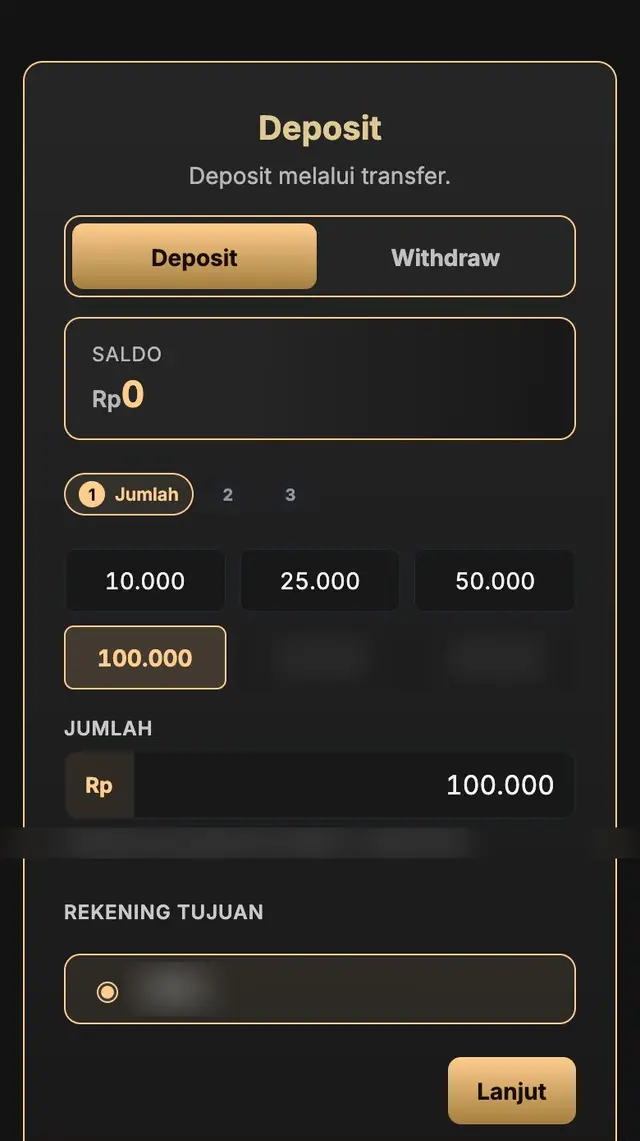
- Choose a promotion if there is one, or skip it, then continue.
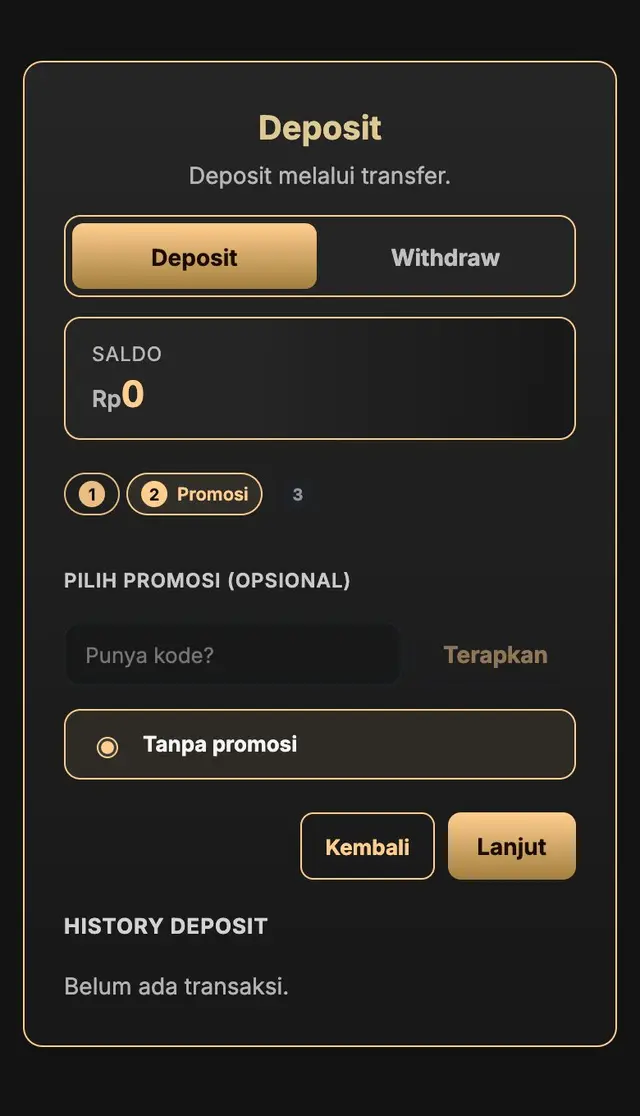
- Check the method and amount, then submit the deposit.
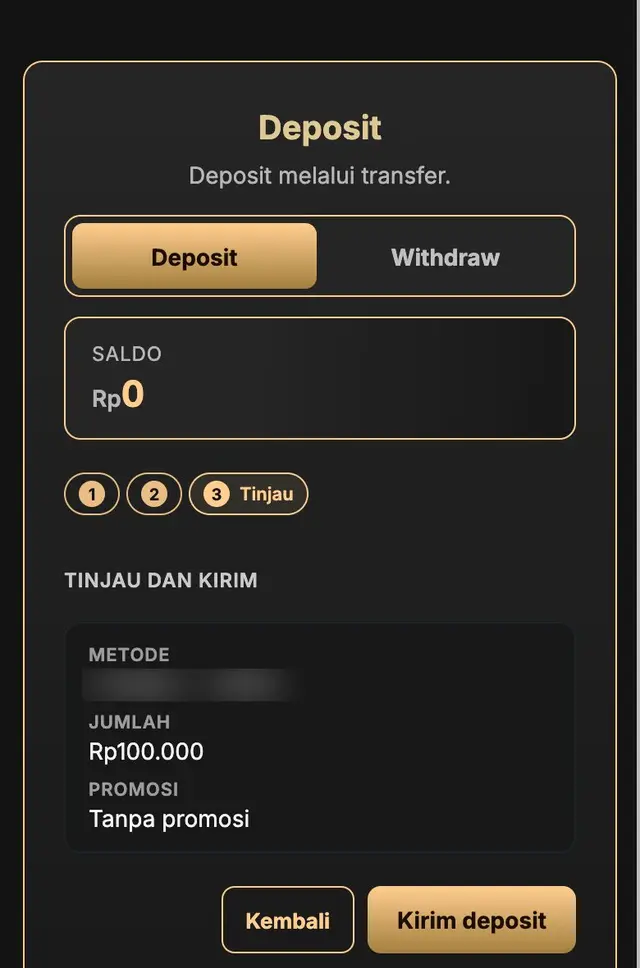
- Transfer the exact amount to the account shown on your screen, then upload your transfer slip if asked.
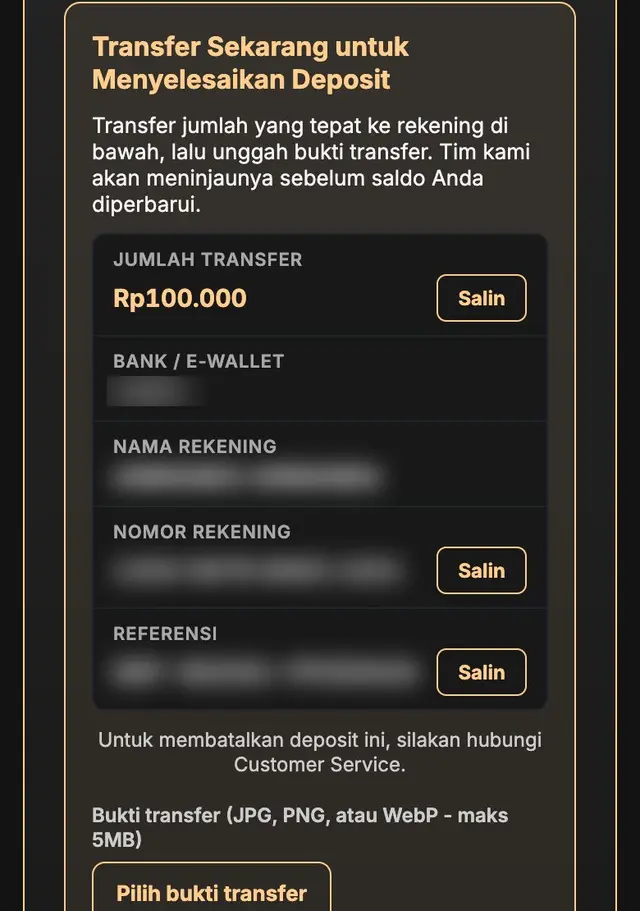
- Wait for your balance to update. You can follow the status in your deposit history.
Account details in the picture are hidden on purpose. Always use the account shown on your own deposit screen, because it can change. For other payment methods, follow the on-screen instructions.
Deposit Not Showing?
If you have paid and your balance has not updated, contact Customer Service with your transfer slip.